
Data Manipulation in Excel
Use the features in this training session to separate data, join data, and convert data using 4 Excel features.
Course Content
Separate data3 lessons
Separate data using text to columns.
Excel Text to Columns
Excel text to columns custom delimeter
Change data layout.1 lesson
Transpose data
Join data2 lessons
Concatenate function
Excel Concatenate - Bonus paste using secret menus
Save time joining and separating inconsistent data using Excel flash fill!2 lessons
Using flash fill
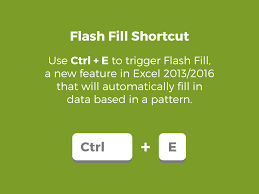
Excel Flash Fill and Shortcut
Power Query2 lessons
Power Query - Split Columns
Power Query - Unpivot Data
PowerPivot2 lessons
Power Pivot - Add Power Pivot Ribbon to Excel
Power Pivot - Adding text data to Power Pivot over 1 million rows
Pivot Tables5 lessons
Excel Convert Data for Pivot Tables
Excel Basic Pivot Table - Create Pivot table from data
Excel Basic Pivot Table - Add new data to a pivot table
Excel Basic Pivot Table - Filter data in a pivot table
Excel Basic Pivot Table - Create a pivot chart
Quick tips and time savers3 lessons
Excel Selecting continous data ctrl and shift arrows
Excel 30 Visible cells only
Excel Navigation shortcuts home and end
Formulas1 lesson
Excel Formula Vlookup
Live Sessions1 lesson
Live Session Data Manipulation
Your Instructor
👤
Stephanie Johnson
Senior Trainer
Free — redeem a coupon code to enroll
Sign in or create an account to enroll.